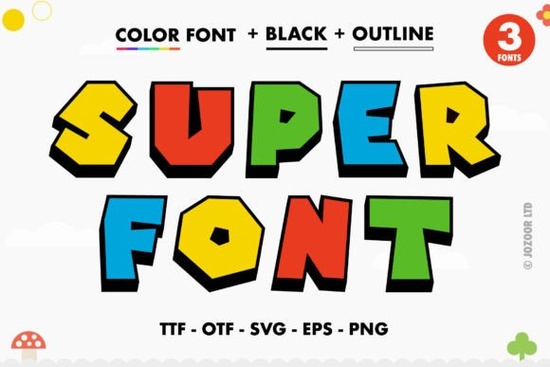
If you've been searching for a bold, colorful typeface that makes your designs pop without any extra effort, the Super Font from Creative Fabrica is worth a closer look. It's a thick-lettered color font with built-in color and style, so your text looks vibrant right out of the box. Whether you're designing party invitations, t-shirt graphics, or social media posts, this font brings a fun, energetic feel to any project.
What Exactly Is a Color Font, and How Is It Different?
A color font sometimes called an OpenType-SVG font carries color information directly inside the font file. Unlike regular fonts where you pick a single color in your design software, a color font like Super Font already has multiple colors, gradients, or textures baked into each letter. When you type, the characters appear with those colors applied automatically.
This means you spend less time layering, masking, or manually coloring each letter. The result looks polished and consistent, which is especially helpful if you're producing designs at scale for a print-on-demand shop or a small business.
How Do I Access All the Glyphs and Swashes?
One thing that makes this font stand out is that it's PUA encoded. PUA (Private Use Area) encoding means every glyph, alternate character, and decorative swash is accessible even if your software doesn't have an advanced glyph panel. You can use a character map tool or the glyph browser in your design app to find and insert these extras.
These extra characters are handy for:
- Custom monograms with decorative flourishes
- Headlines and logos where you want one letter to stand out
- Layered designs that mix swashes with plain text
Having all glyphs easily reachable saves time, especially when you're working under a deadline.
Which Design Software Works with Super Font?
This is an important detail. Because Super Font is an OpenType-SVG color font, it works with specific applications that support this format:
- Adobe Photoshop (CC 2017 and newer)
- Adobe Illustrator (CC 2018 and newer)
- Silhouette Studio (Designer Edition and above)
- Inkscape (free and open source)
Important: The OTF and TTF files included with this product are not compatible with Cricut Design Space. If you use a Cricut machine, you may want to explore other options. For a full breakdown of how color fonts work across different platforms, Creative Fabrica provides a helpful Ultimate Font Guide that walks you through setup and troubleshooting.
Where Can I Use This Font in Real Projects?
Thick, colorful display fonts like this one are versatile. Here are a few practical ways designers and crafters are using it:
- Birthday and party invitations bold letters grab attention on printed or digital invites
- T-shirt and merchandise designs works well for catchy slogans and kids' apparel
- Social media graphics eye-catching text for Instagram stories, YouTube thumbnails, and Pinterest pins
- Poster and flyer layouts the thick weight holds up well at larger sizes
- Greeting cards and stickers the built-in color adds visual interest without extra design steps
What Other Colorful Fonts Pair Well with Super Font?
If you're building a collection of display fonts, pairing Super Font with other colorful typefaces gives you more creative range. The Daisy font offers a different vibe with its own color treatment, making it a nice complement for seasonal or floral designs. For projects aimed at children or families, the Kids Name font brings playful energy that works well on school materials, nursery decor, and kids' birthday content.
Having a few colorful fonts in your toolkit means you can match the mood of each project without relying on the same typeface every time.
Tips for Getting the Best Results with Color Fonts
Here are a few things I've picked up working with OpenType-SVG fonts:
- Use the right software version. Older versions of Photoshop or Illustrator may not render color fonts correctly. Make sure your apps are up to date.
- Check your export settings. When exporting for print, flatten or rasterize the font layer to preserve colors. Some file formats don't support color font data.
- Test at the right size. Color fonts look best at medium to large sizes. Very small text may lose detail or appear muddy.
- Avoid Cricut for this specific font. Since the OTF/TTF files don't carry color information for Cricut, stick with the supported software listed above.
- Back up your files. Keep the original font files stored safely so you can reinstall them if you switch computers.
Quick Checklist Before You Buy
Before purchasing, make sure you've covered these basics:
- ☑ You have Photoshop CC 2017+, Illustrator CC 2018+, Silhouette Designer Edition, or Inkscape
- ☑ You do not need Cricut compatibility for this project
- ☑ You want a thick, colorful display font for headlines, logos, or craft projects
- ☑ You value PUA-encoded glyphs for easy access to alternates and swashes
Next step: Head over to Creative Fabrica, check out the full character preview for Super Font, and download a test file to confirm it works in your software before committing to a full project. If you need guidance on color font setup, the Ultimate Font Guide is a solid place to start.
Explore Design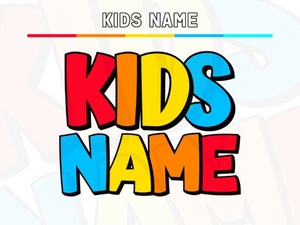 Creative Kids Name Fonts for Fun Personalized Projects
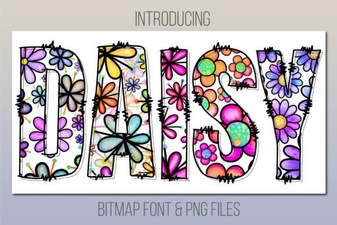 Daisy Font: Fresh and Charming Design for Creative Projects
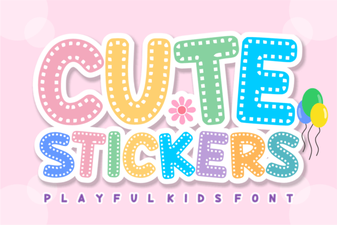 Adorable Font Ideas for Craft Projects
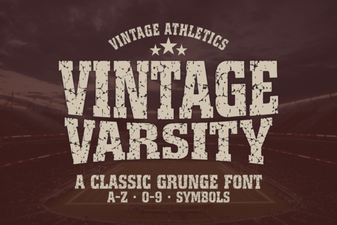 Vintage Varsity Font: Classic Display Typeface for Bold Designs
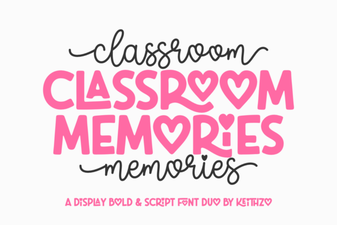 Classroom Memories Font – Fun Chalkboard Style Display Typeface
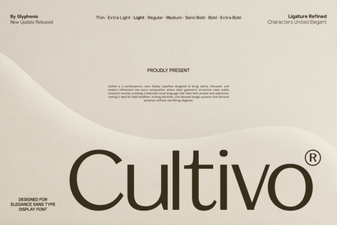 Cultivo Font: a Fresh and Creative Typeface for Designers