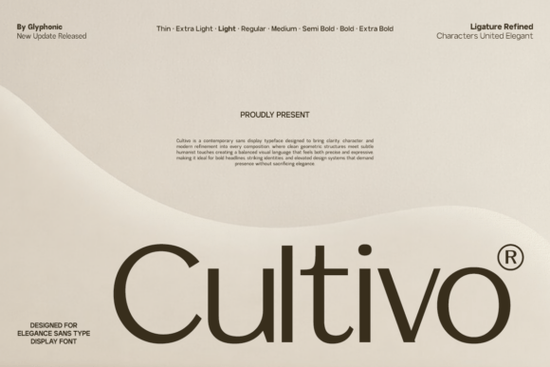
Cultivo Font is a contemporary sans serif typeface built for designers who want clean geometry without losing warmth. It combines sharp, modern lines with subtle humanist details think refined ligatures and carefully measured character spacing. If you're working on a brand identity, editorial header, or a polished tech interface, this typeface offers the kind of precision that doesn't feel cold or robotic.
What Makes Cultivo Different from Other Sans Serif Fonts?
Most sans serif typefaces fall into two camps: strictly geometric or loosely humanist. Cultivo sits right in the middle. The letterforms have that structured, grid-based feel you'd expect from a modern display font, but small design choices like softened joints and balanced proportions give it personality without sacrificing readability.
This balance matters more than people realize. A font that's too geometric can feel flat in longer compositions. One that's too expressive can look unprofessional in corporate settings. Cultivo handles both sides well, which is why it works across such a wide range of design systems.
For comparison, fonts like Kohilo's clean letterforms take a more minimalist approach, while Cultivo adds just enough character to stand on its own without competing with your layout.
What Projects Work Best with This Typeface?
Cultivo is a display font, so it performs best at larger sizes where its details can breathe. Here are some practical uses:
- Brand identities Logos, wordmarks, and brand guidelines that need a refined but approachable tone
- Editorial headers Magazine layouts, blog headers, and book covers where you want visual impact
- Tech interfaces App splash screens, dashboard hero text, and startup landing pages
- Packaging design Product labels, box designs, and premium print materials
- Print-on-demand products Mugs, tote bags, posters, and apparel where bold typography drives the design
If you're a print-on-demand seller, pairing a strong display font like Cultivo with a simple layout often produces better results than overcomplicating the design. Clean type, good spacing, and a single focal point that's usually enough.
How Does Cultivo Pair with Other Fonts?
Good font pairing is about contrast and hierarchy. Since Cultivo has a contemporary sans structure, it pairs well with:
- Serif body text fonts A classic serif for paragraphs creates nice contrast with Cultivo's modern headers
- Script or handwritten fonts For creative projects, mixing a structured display font with something organic adds visual interest
- Other sans serifs at different weights Using Cultivo for headlines and a lighter sans for body text keeps things cohesive
For example, if you're designing a wedding invitation or a feminine brand identity, you could pair Cultivo with something like the Summer Marker font to add a handwritten contrast. On the other hand, if your project leans more modern and minimal, Kohilo works as a complementary body text option.
Is Cultivo a Good Choice for Small Businesses?
Absolutely. Small businesses often need one or two fonts that work everywhere from their website to social media posts to printed materials. Cultivo's versatility makes it a solid primary typeface for brands that want to look polished without hiring a full design agency.
Its refined character spacing also means less manual kerning work on your end. The font is designed with balanced spacing built in, so text looks good right out of the box whether you're using it in Illustrator, Canva, or Photoshop.
One thing to keep in mind: Cultivo is a display typeface, so for longer body copy (think 500+ word documents or dense paragraphs), you'll want to pair it with a more readable text font. Use Cultivo for headings and short blocks where its design details really show.
Who Should Use Cultivo?
This font is built for anyone who needs their typography to feel intentional. That includes:
- Graphic designers building brand systems
- Crafters creating SVG files and cut-ready designs
- Print-on-demand sellers looking for standout typography
- Small business owners refreshing their visual identity
- Creative hobbyists who want professional-looking results
Quick Checklist Before You Start Designing
- ✅ Decide where Cultivo fits headlines, logos, or display text
- ✅ Choose a secondary font for body copy that complements Cultivo's style
- ✅ Test your design at the actual size it will be used (display fonts can look different at small scales)
- ✅ Check the font license to make sure it covers your specific project type
- ✅ Cultivo is available on Creative Fabrica download it and start experimenting with your next project
Tip: Before committing to Cultivo for a client project, set your key headline text in the font and view it at actual size. Display typefaces can feel very different at 72pt on screen versus 24pt in print. Make sure the weight and spacing work for your specific use case before finalizing the design.
Explore Design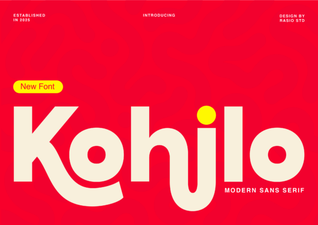 Kohilo Font: Elegant Typeface for Creative Design Projects
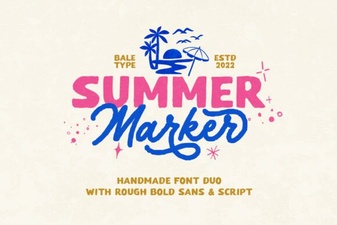 Summer Marker Font: Fun Handwritten Style for Creative Projects
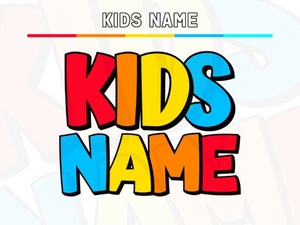 Creative Kids Name Fonts for Fun Personalized Projects
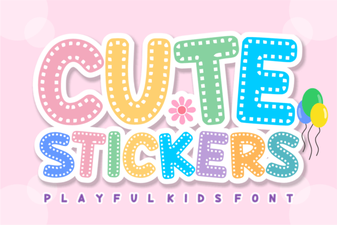 Adorable Font Ideas for Craft Projects
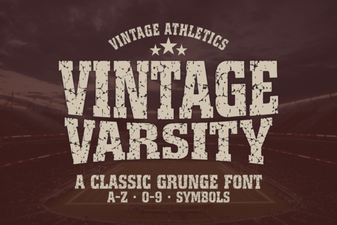 Vintage Varsity Font: Classic Display Typeface for Bold Designs
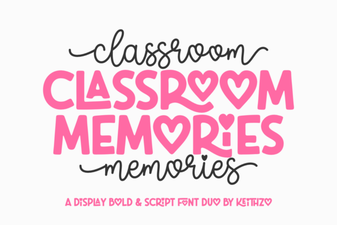 Classroom Memories Font – Fun Chalkboard Style Display Typeface