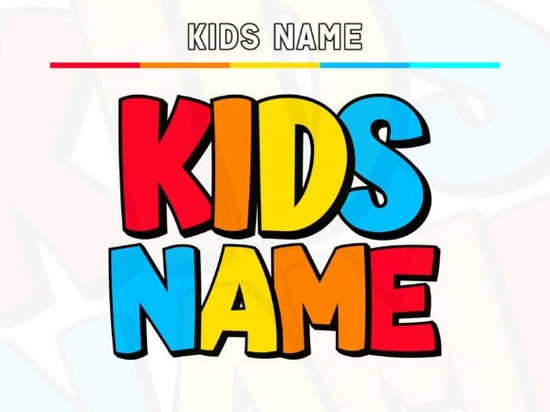
Looking for a cheerful, kid-friendly font that pops right off the page? The Kids Name Font is a color display typeface built around chunky, rounded letterforms with bold black outlines and an offset shadow that gives every word instant sticker or comic-book energy. If you design birthday party supplies, classroom materials, or children's branding, this one was made with exactly those projects in mind.
What makes it stand out is how effortless it is to work with. The flat color fills mean you can recolor glyphs in seconds, and the clean contours make it Cricut-friendly for decals, iron-ons, and vinyl projects. You can use the full layered color version or drop down to the base layer only for a clean one-color look.
What Can You Actually Make With This Font?
The short answer: almost anything aimed at kids, families, or fun seasonal events. Here are real-world uses designers and sellers rely on:
- Birthday sets invitations, banners, cupcake toppers, and favor tags
- Classroom decor name labels, posters, bulletin board headers
- Party banners custom messages with that candy-colored sticker feel
- Stickers and decals the bold outline keeps designs legible at small sizes
- T-shirts and iron-ons works beautifully with heat transfer vinyl
- YouTube thumbnails eye-catching headers that read well on mobile
- Toy packaging and book covers safe, upbeat voice for children's products
- Farmhouse-cute decor name signs, nursery wall art, seasonal prints
The playful width swing and subtle baseline bounce give names a lively rhythm that feels hand-drawn without sacrificing readability. That combination is hard to find in most display fonts.
Does It Work With Cricut and Silhouette Machines?
Yes, and this is one of the font's biggest selling points for crafters. Because it ships with clean vector contours, the base layer imports cleanly into Cricut Design Space and Silhouette Studio. You won't spend extra time fixing nodes or smoothing jagged edges. For print-on-demand sellers who cut vinyl decals, that saves real production time.
The layered color version also separates well, so if you want to create multi-layer HTV projects with different vinyl colors for the fill and shadow, you can build that directly in your cutting software.
How Does It Compare to Other Colorful Fonts?
If you're browsing bold and playful color fonts for your next project, the Kids Name Font leans heavily into a comic-book, sticker-pop aesthetic. It's bolder and rounder than most alternatives, which makes it especially strong for younger audiences.
For something with a softer, more whimsical feel, the Daisy font works well for spring-themed and floral designs. And if you want a font that bridges the gap between playful and versatile, check out the options in this colorful daisy font collection.
For designers who need maximum visual punch with minimal fuss, the Super font family is another strong pick. But when the brief specifically calls for kid-safe, bright, and cheerful, the Kids Name font is tough to beat. There's also a growing library of colorful kids name fonts worth exploring if you want to build out a cohesive collection.
Is the Font Safe for Commercial Use?
Fonts on Creative Fabrica come with a license that covers both personal and commercial projects. That means you can use this font on products you sell t-shirts, stickers, printables, and digital downloads without worrying about additional licensing fees. Always double-check the specific license terms on the product page before starting a large production run, but for most small business and print-on-demand use cases, you're covered.
Quick Checklist Before You Start Designing
- Decide on layered vs. one-color full color for screen designs, base layer only for cutting machines
- Test at your output size the chunky letterforms hold up well, but always preview before printing
- Pair with a simple sans-serif for body text so the display font stays the star
- Use the offset shadow to add depth without extra design layers
- Recolor fills to match your palette flat fills make this quick in Illustrator, Canva, or Affinity Designer
- Save a one-color version separately for vinyl and HTV projects
Next step: Download the font, set a child's name in it at full size, and try it on your most popular product type. You'll know within five minutes if it fits your brand's style and for most kid-focused projects, it probably will.
Try It Free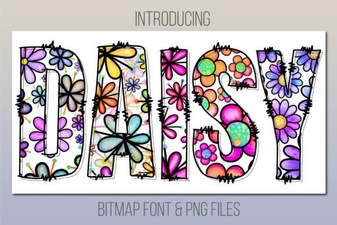 Daisy Font: Fresh and Charming Design for Creative Projects
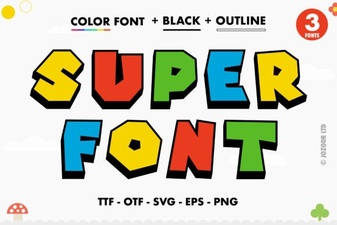 Super Font: Bold Typefaces for Creative Design Projects
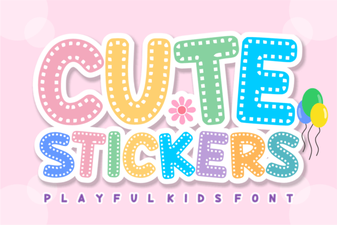 Adorable Font Ideas for Craft Projects
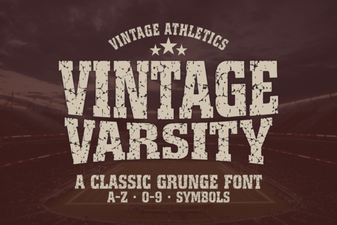 Vintage Varsity Font: Classic Display Typeface for Bold Designs
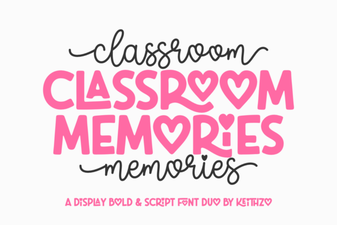 Classroom Memories Font – Fun Chalkboard Style Display Typeface
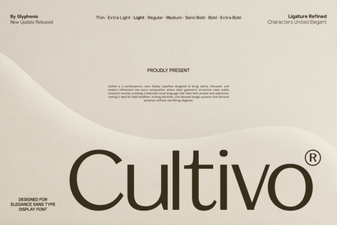 Cultivo Font: a Fresh and Creative Typeface for Designers