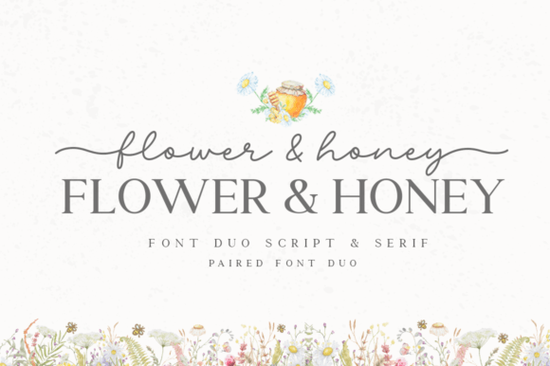
If you've been searching for a script font that feels warm, playful, and easy to work with, Flower & Honey might be exactly what your next project needs. This paired font set was designed so both typefaces complement each other without extra tweaking. Whether you use them together or on their own, they bring a cheerful, stylish feel to invitations, branding, and handmade goods.
What makes Flower & Honey different from other script fonts?
Most script fonts come as a single file, and you're left on your own to find a matching partner. Flower & Honey solves that problem. It's a duo of two coordinated fonts that were built to work side by side from the start. The pairing looks balanced without you having to adjust sizing, spacing, or weight manually.
That matters when you're designing under a deadline especially for print-on-demand sellers who need to move quickly from idea to listing. Instead of testing five or six font combinations, you can drop in both styles and get a polished result right away.
What kinds of projects work well with this font?
Because of its friendly, hand-lettered look, Flower & Honey fits a wide range of creative projects. Here are some common uses:
- Wedding invitations and save-the-date cards
- Greeting cards for birthdays, holidays, and thank-you notes
- Logo design for small businesses, bakeries, florists, and boutique shops
- T-shirt designs and other print-on-demand products
- Social media graphics and blog headers
- Stickers, planner pages, and journal embellishments
- SVG cut files for Cricut and Silhouette projects
The script style gives projects a personal, handcrafted feel something customers and gift recipients notice immediately.
How do the extra glyphs and swashes work?
One of the most practical features of Flower & Honey is its PUA encoding. PUA stands for Private Use Area, and it means every glyph, alternate character, and decorative swash is accessible through your operating system's character map no special design software required.
If you use programs like Adobe Illustrator, Photoshop, Cricut Design Space, or even Microsoft Word, you can copy and paste these extras directly. This makes a real difference when you want to add a flourish to a capital letter or swap in a stylistic alternate for a more custom look.
For crafters who aren't deep into OpenType features, PUA-accessible fonts remove the frustration of wondering where all the "bonus" characters went.
Does Flower & Honey pair well with other fonts?
Absolutely. While the two styles were designed for each other, they also play nicely with other typefaces. If you want to add a clean sans-serif for body text, or a simple serif for contrast, Flower & Honey's script characters won't clash.
You can also combine it with other script fonts from Creative Fabrica if you want variety across a product line. A few worth exploring alongside it:
- Better Together font another paired set with a romantic, flowing feel
- Honeymoon font a smooth handwriting style great for travel and love-themed designs
- I Heart You font sweet and expressive, perfect for Valentine's projects
- Coconut Bay font a relaxed script that works well for summer and tropical themes
Rotating through different script fonts across your product listings keeps your shop looking fresh while staying within a consistent aesthetic.
Is Flower & Honey practical for small businesses?
If you run an Etsy shop, sell on Redbubble, or create custom orders for local clients, font versatility matters. You need typefaces that look professional but still feel approachable. Flower & Honey hits that middle ground.
It's also worth noting that since the font includes both a main script and a complementary style, you're essentially getting two design tools in one purchase. That's helpful when you're managing costs and want maximum value from every asset you buy.
For branding projects, the paired fonts let you create consistent visual identities one style for headlines, the other for supporting text without looking mismatched.
Quick checklist before you start designing
- Install both font files and restart your design software
- Open your character map (Windows) or Font Book (Mac) to browse swashes and alternates
- Test the pairing at different sizes to make sure it reads well on screen and in print
- Check your license confirm it covers your intended use, especially for POD or commercial projects
- Save your favorite glyph combinations so you can reuse them quickly across designs
- Try a mock-up on your target product (card, shirt, mug) before finalizing
Tip: If you're designing for print, always export a proof at full resolution. Script fonts with thin strokes can look different printed than they do on screen, so it's worth checking before you commit to a batch order.
Learn More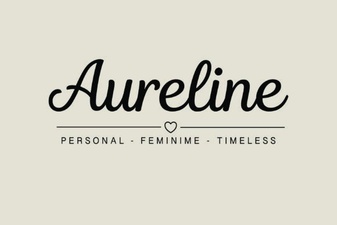 Aureline Font: Elegant Typography for Creative Design Projects
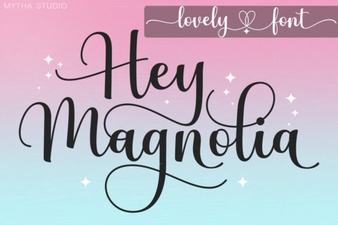 Discover the Beauty and Versatility of Hey Magnolia Font
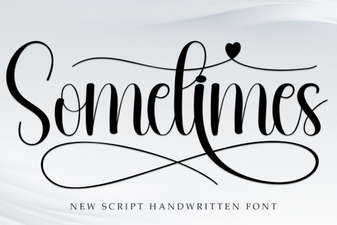 Sometimes Font – Free Script Font Download for Creative Projects
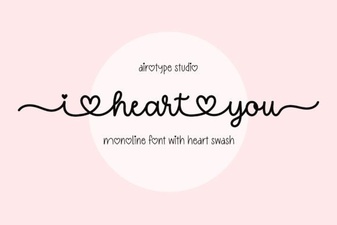 I Heart You Font: Playful Typography for Creative Projects
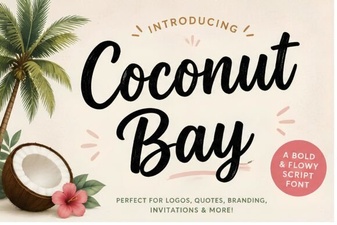 Coconut Bay Font: a Creative Choice for Summer Designs
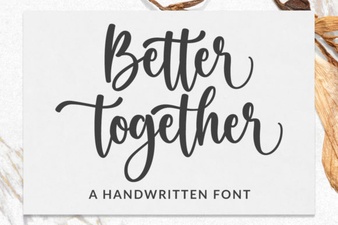 Better Together Font – Elegant Script Font for Wedding & Event Designs